Keyboards
Products · Keyboards
1 active deal
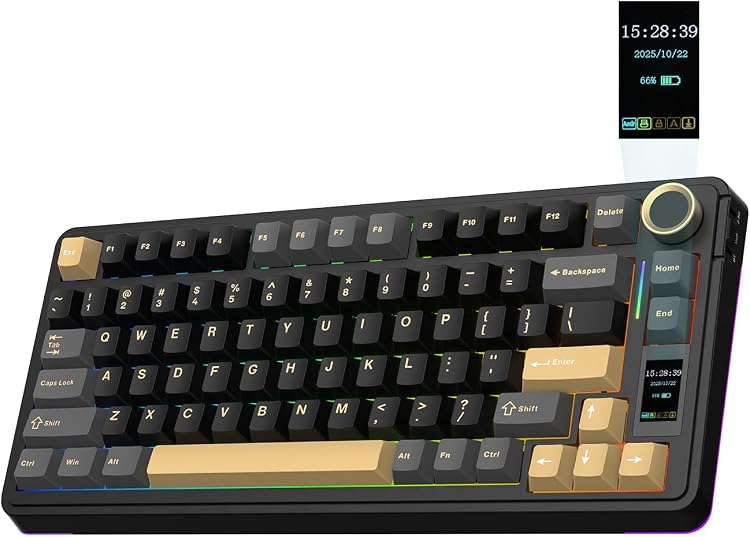
Keyboards: choose the layout and feel you will use every day
A keyboard accompanies thousands of keystrokes, so the choice starts with the keys you need rather than lighting. Language, size and mechanism can support your work or create persistent small annoyances. Examine those basics before paying attention to gaming extras or customisation features.
Software cannot change the printed layout
Check the physical layout, printed language and Enter-key shape. Selecting another language on the computer changes what it types but does not add keys or correct their legends. A generic photograph may show a different variant from the one being sold.
Check shortcuts and modifier keys for your operating system too. Some special functions depend on software that is not available on every system.
Save space without hiding frequent tasks
A full-size layout offers a dedicated number pad. Removing it leaves more room for the mouse. Very compact models may move arrows or function keys onto combinations; decide whether those layers suit your applications.
Measure the desk and consider the reach to the mouse. A smaller case does not necessarily mean different spacing between keys or a more comfortable working position.
The mechanism has both a feel and a sound
Mechanical switches can be linear, tactile or clicky, but those names do not fully describe force or noise. Membrane and scissor mechanisms also vary between products. In a shared space, key-down and return sounds matter alongside the switch itself.
Where possible, try travel and resistance. An 'ergonomic' label guarantees neither comfort nor prevention of health problems; height, tilt and personal adjustment still matter.
Avoid connection surprises at startup
A cable removes battery management, while wireless connection clears the desk in exchange for charging or replacement batteries. Check whether the keyboard uses Bluetooth, a dedicated receiver or both, and can switch between your intended computers.
For startup access or computer configuration, confirm the connection method's compatibility. A charging port does not always allow the keyboard to operate as a wired device.
Customise only what you can maintain
If you want to replace switches, verify that this is possible without soldering and which switches are supported. Replacement keycaps must match the layout and key sizes, not simply the mounting stem.
Consider cleaning, replaceable cables and spare-part availability. Splash resistance is not permission to wash the keyboard. Configurable functions add little value if they require an application you cannot use.